Online payments and fees
When a customer pays for a delivery or pickup order on your website, that money is yours. This page explains how it gets to you and what it costs.
How the money gets to you
- Connect your account under Organization → Payments. The process is guided and takes about 5 minutes. See the step-by-step registration guide.
- The customer pays by card or Pix right on your website when placing the delivery or pickup order.
- The payment is processed securely by our payment partner.
- The money is your business's: it sits in your payout account's balance and is transferred to your business's bank account. Transfers follow the payment partner's conditions.
When the money becomes available
- Pix: the amount reaches your payout account's balance as soon as the customer pays.
- Credit card: on the payment partner's standard schedule, about 30 days per sale (29 calendar days plus 2 business days). In an installment sale, each installment has its own date.
Schedules, transfers and anticipation follow the payment partner's conditions, which easydine does not set.
Anticipation
If you want to receive card sales before that, you can turn on anticipation. It is optional: talk to us to turn it on or off.
Anticipation carries a fee from our payment partner, charged on the amount anticipated. The fee is not fixed: it depends on how early and how much you anticipate. It is neither set nor received by easydine, and it is not part of the 10%.
A single fee
There is one fee only: 10% on orders paid online, processing included. It applies to both card and Pix, with no per-module fee and no weekend surcharge. Anticipation, if you ask for it, carries the payment partner's fee.
| Type of sale | Fee |
|---|---|
| Delivery or pickup paid online | 10%, processing included |
| Delivery or pickup paid to the establishment, on delivery or at pickup | None |
| Order at the table by QR code | None |
| Online reservation | None |
In practice: on a R$ 100 order paid online, R$ 90 stays with you. The fee is automatic and charged once per sale. You don't have to calculate anything or pay a separate commission bill later.
An order paid to the establishment uses the store's own payment methods (cash, the card machine, the store's Pix and others) and does not go through easydine: easydine does not receive that money and charges no fee on it. See paying on delivery or at pickup.
Online payment in reais only
Online payment works in Brazilian reais. A business outside Brazil that sells in another currency has no online payment, so it does not pay the 10% fee: its delivery and pickup orders are paid to the establishment, with the store's own payment methods. At its tables, the guest pays on the card machine or in cash, and the payment is recorded at the cashier.
A transparent delivery fee for your customer
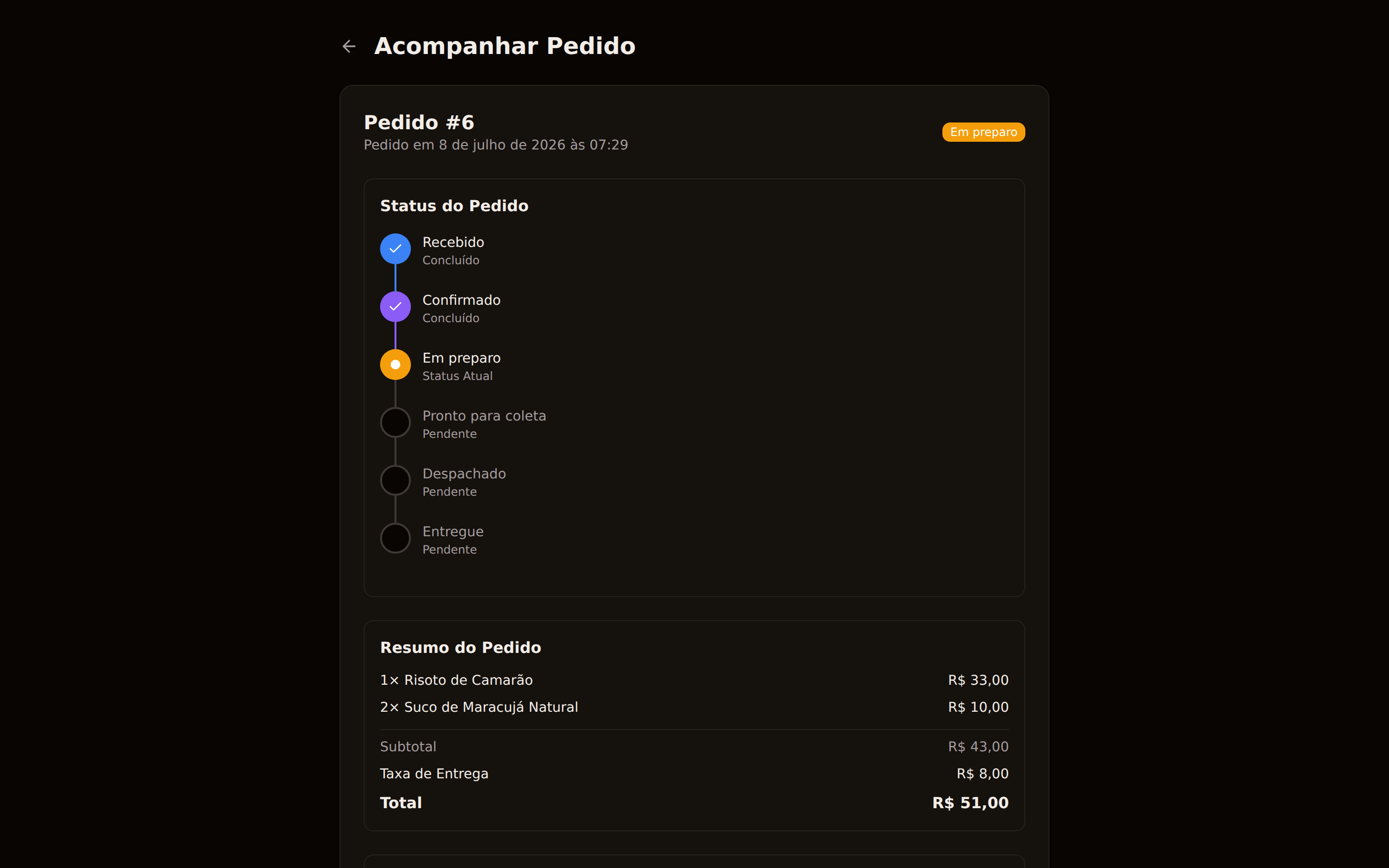
Portaria SENACON/MJSP nº 61/2026 (a Brazilian consumer-protection regulation) requires anyone selling delivery to show the customer a summary box breaking down the delivery fee. easydine ships this ready-made: the box appears automatically on your store, with no extra setup on your part. For pickup and for orders paid to the establishment the box shows too, with the platform's share at zero.
Your customer's tax document
To meet the tax rules for online sales, the tax note (nota fiscal) must identify the buyer. So when a customer places an order in Brazil, for delivery or pickup, paid online or to the establishment, they enter their CPF or CNPJ right at checkout. For pickup they also enter the billing address, which the note for an online sale requires. easydine collects this at checkout and keeps it available for issuing your tax note, so you don't have to ask for it afterwards.
This document is handled with care and has two uses: identifying the buyer on the tax note and, on an order paid online, by the payment partner, processing the payment and preventing fraud. easydine keeps this data only for the short window in which the tax note may need it and deletes it afterwards; on the panel screens it is shown masked. The tax note itself is issued and kept by you, under your own tax-retention rules. The document is never used for marketing.
If your fiscal setup identifies the online-sale intermediary, use easydine's CNPJ on an order paid online: 65.013.219/0001-70. On an order paid to the establishment, on delivery or at pickup, the sale has no intermediary: the customer pays you directly, and the payment institution is the one that receives for you (your card machine's, for example). Check with your accountant how to fill those fields when issuing the note.
If a payment is temporarily unavailable
Online payment is processed through payment partners. If one is temporarily unavailable, we offer another payment method on the same screen, and the customer doesn't have to start the order over. When something needs you (for example, finishing your payout setup), we let you know in your dashboard.
What about during the free period?
During the 30-day free period, you don't pay a subscription. But heads up: the 10% fee on online payments also applies during the free period, automatically, once per sale. If you sell orders paid online during that period, the 10% applies as usual.
Delivery and pickup, paid online or to the establishment, are part of the full orders module, available on the Completo plan. See Plans and limits and learn about easydine delivery.
Still have questions about payments? Reach us over WhatsApp or at suporte@easydine.app.