Plans and limits
easydine has three plans. You start with a 30-day free period, no card required, with every feature unlocked. Pricing for all three plans is public on our website.
Plan comparison
| Feature | Essencial | Profissional | Completo |
|---|---|---|---|
| Price | R$ 89/month | R$ 179/month | R$ 299/month |
| Online store with a digital menu | ✅ | ✅ | ✅ |
| Online reservations and reports | — | ✅ | ✅ |
| Full orders: table, delivery, kitchen, couriers | — | — | ✅ |
| Stores included | 1 | 2 | 3 |
The stores included are each plan's starting point, not a ceiling. Need more stores or locations? Talk to us on WhatsApp or at suporte@easydine.app and we'll put together a custom offer for your business.
Each account can own up to 2 companies. Need to register more? Talk to us on the same channels.
Want it feature by feature, including email notifications and the delivery options? It's all in What each plan includes. Up-to-date pricing is always at easydine.app/#planos.
Want to see what your customer sees? Browse the menu of the demo store and make a test reservation on the demo reservations site.
The subscription is the only fixed charge. On sales, there is a single fee: 10% on orders paid online (delivery or pickup), with card processing already included. Dine-in orders and reservations carry no fee. The details are in Online payments and fees.
Annual plan: 2 months free
On the annual plan, you pay 10 times the monthly price for the whole year. That works out to exactly 2 months free compared with paying month to month.
30-day free period
When you create your account, you get 30 days free with every feature unlocked, the same as the Completo plan. We don't ask for a card at sign-up, and nothing is charged up front.
- When it starts: once both steps are done, your email confirmed and your company registered. The step-by-step guide is in Create your account.
- Once per person and per document: the free period is granted once per account and once per CNPJ or CPF. A second company of the same person, or with the same document, goes straight to choosing a plan. The same e-mail address with an alias (the part after the plus sign, which Gmail and other providers accept) counts as the same account.
- When to subscribe: subscribing opens on the free period's last day, under Organization → Subscription, and the first charge is made the moment you subscribe. We e-mail you when it opens, and again every 2 days until you subscribe. Before that the subscription isn't charged, and everything stays unlocked.
- Reminders: the dashboard shows how many days are left and, 3 days before the end, you get a notice that the period is ending.
One exception: the 10% fee on online payments also applies during the free period. It's automatic and charged once per sale. If you sell orders paid online (delivery or pickup) during that period, the 10% applies as usual.
Ways to pay for your subscription
To keep going after the free period, subscribe to one of the plans:
- Credit card: right in the dashboard, under Organization → Subscription. The charge renews on its own, every month or every year, depending on the plan you choose.
- PIX: talk to us on WhatsApp or at suporte@easydine.app. The team sends you the payment details and, once the payment is confirmed, the Organization → Subscription page shows Paid by PIX until the covered date. In the last week of that period, the dashboard reminds you to renew.
The subscription is billed in Brazilian reais, including for a business outside Brazil that sells in another currency.
When access ends: 7 days of grace
When the free period, the period paid by PIX or a subscription ends (for example, a subscription that was cancelled or stopped being paid), you don't lose access right away. For 7 more days, everything keeps working as usual, and the dashboard tells you until when.
After the grace period, while no plan is active:
- your store shows customers that it is temporarily unavailable, and the site takes no orders or reservations;
- in the dashboard, only the Organization → Subscription page (so you can subscribe) and your account settings stay open.
Your data is kept, and access comes back as soon as a plan is active. For subscriptions, the grace period applies once every 90 days.
Switch plans whenever you want
Go to Organization → Subscription in the dashboard to switch plans at any time, up or down. You can start on Essencial, for example, and turn on reservations and reports once business picks up.
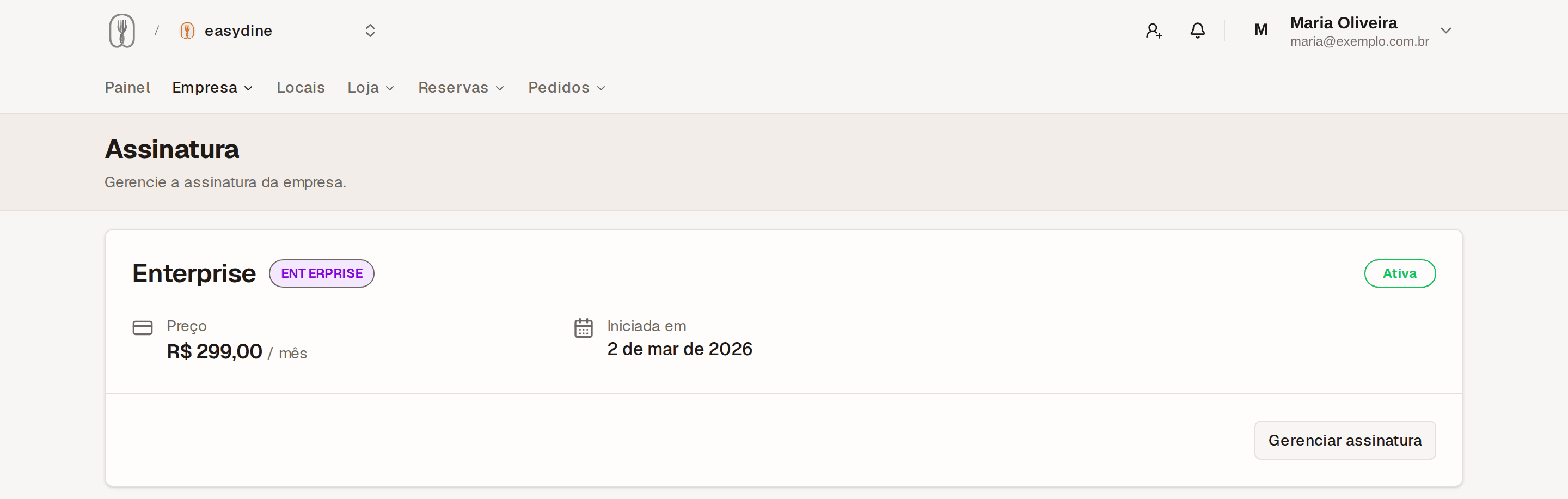
Canceling
You can cancel at any time, on your own, from inside the dashboard. No phone call to make, no explanation required. Your subscription stays active until the end of the period you've already paid for, with no lock-in and no cancellation penalty. When it ends, the 7 days of grace apply.
Create yours at admin.easydine.app/auth/sign-up and start your 30-day free period today, no card required. The step-by-step guide is in Create your account.