Online reservations
With easydine, your customers book a table on their own through your online store, any time, even when the dining room is closed. You set the rules once and the system handles the rest: it only shows time slots with a free table, confirms instantly, and notifies your team. No one has to jot reservations in a notebook anymore, and you stop losing customers because the phone went unanswered.
Online reservations are included in the Profissional and Completo plans, with no per-reservation charge. See the details in Plans.
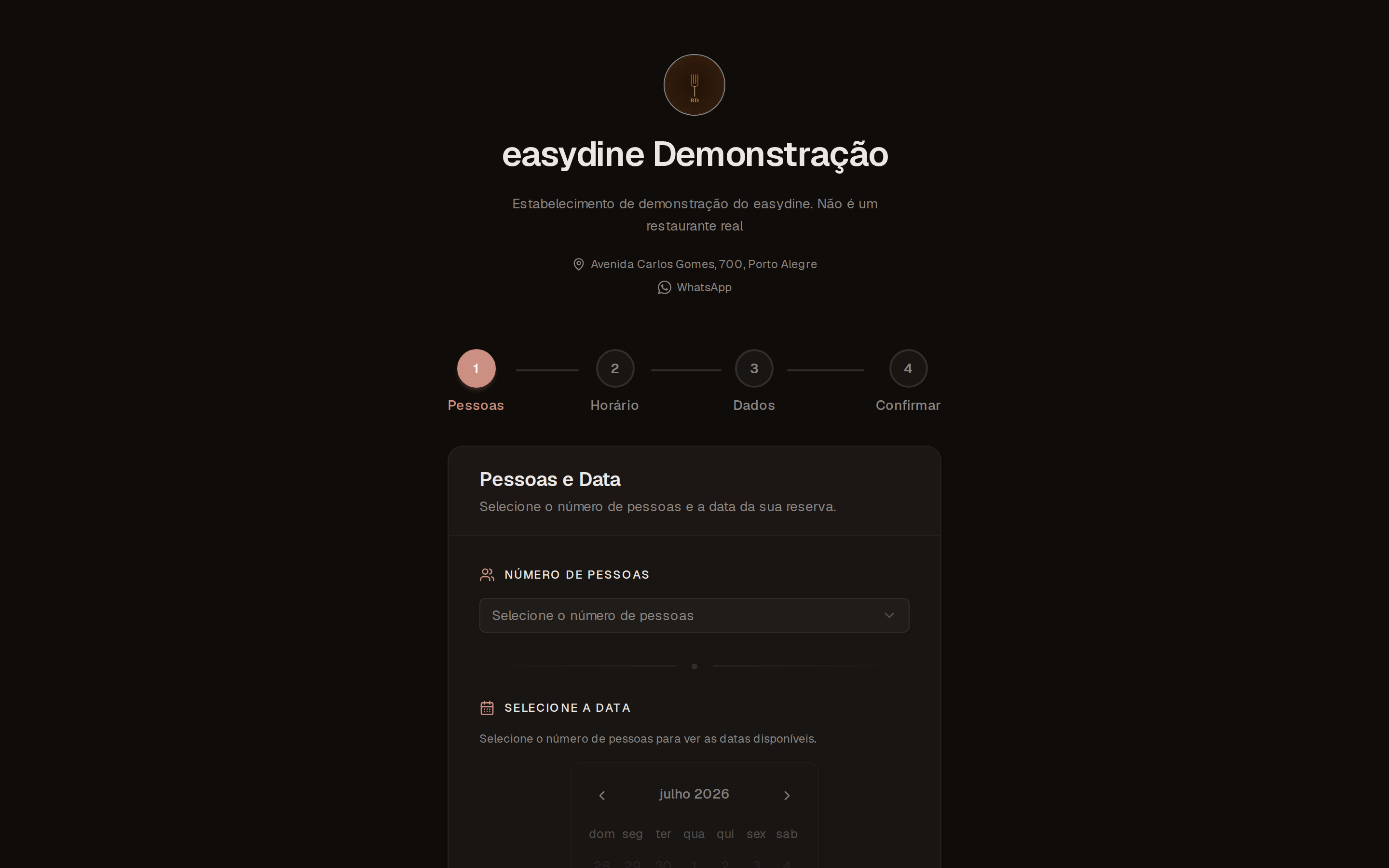
How customers book
The flow has 4 steps and works on a phone or a computer:
Once confirmed, the customer gets an email with a calendar invite, compatible with the most-used calendar apps, such as Google Calendar, Apple Calendar, and Outlook. One tap and the reservation lands on their calendar. If the date no longer works, the customer reschedules or cancels through the link in the email, no call to your counter needed.
Want to see it for yourself? Try the reservation flow in the demo.
You set the rules
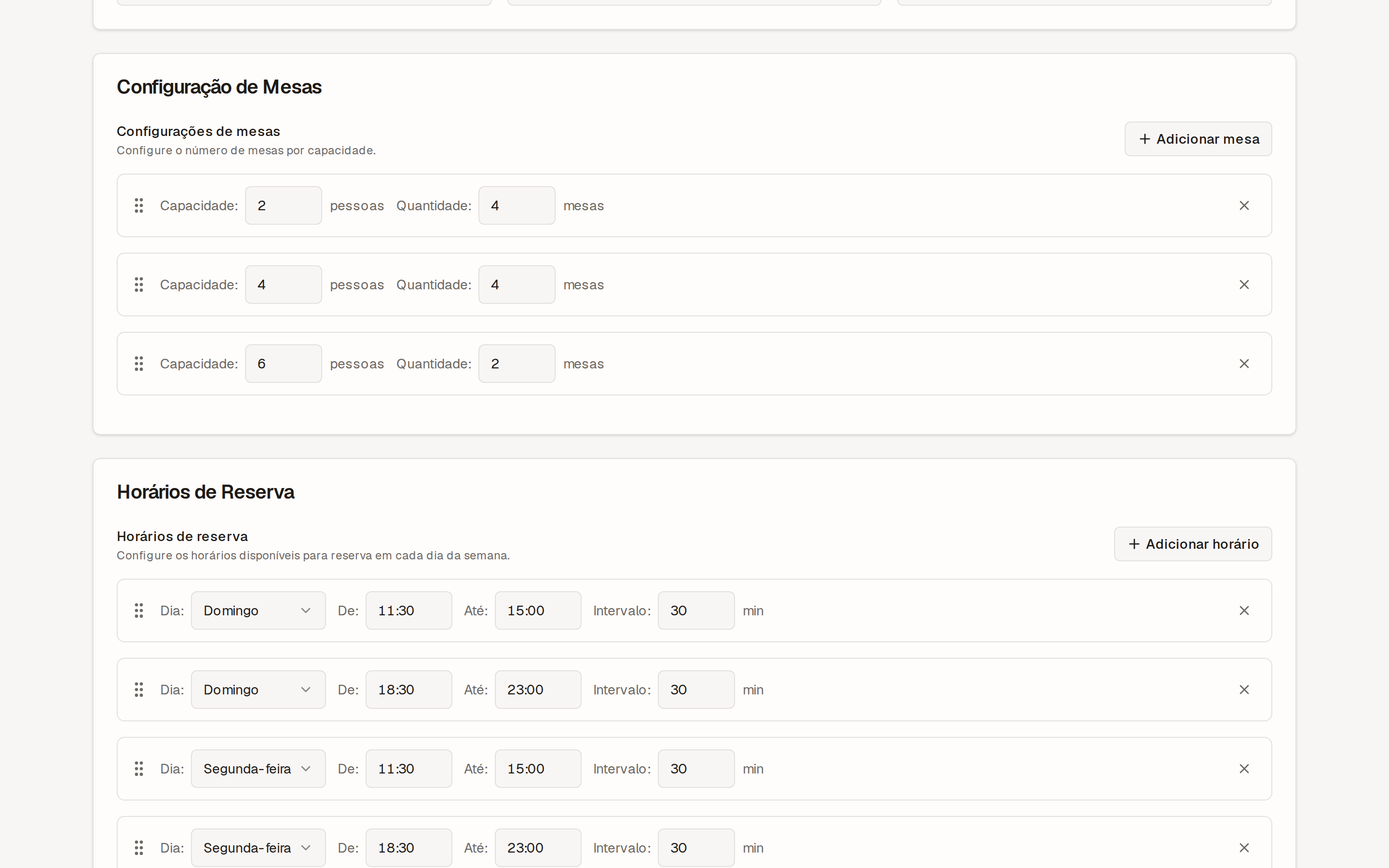
Everything is configured in Booking → Configurations:
| Rule | What it controls |
|---|---|
| Tables and capacities | Which tables exist and how many people fit at each one. The system only offers slots with a free table. |
| Hours by day of the week | Each day's schedule: dinner only, closed on Mondays, earlier on weekends. |
| Minimum notice | How much advance warning a reservation needs. For example, nothing under 2 hours. |
| Booking window | How many days into the future customers can book. |
| Late-arrival grace period | How long a table is held before it's released to another customer. |
| Party size | The minimum and maximum number of people per reservation. |
Track everything in the dashboard
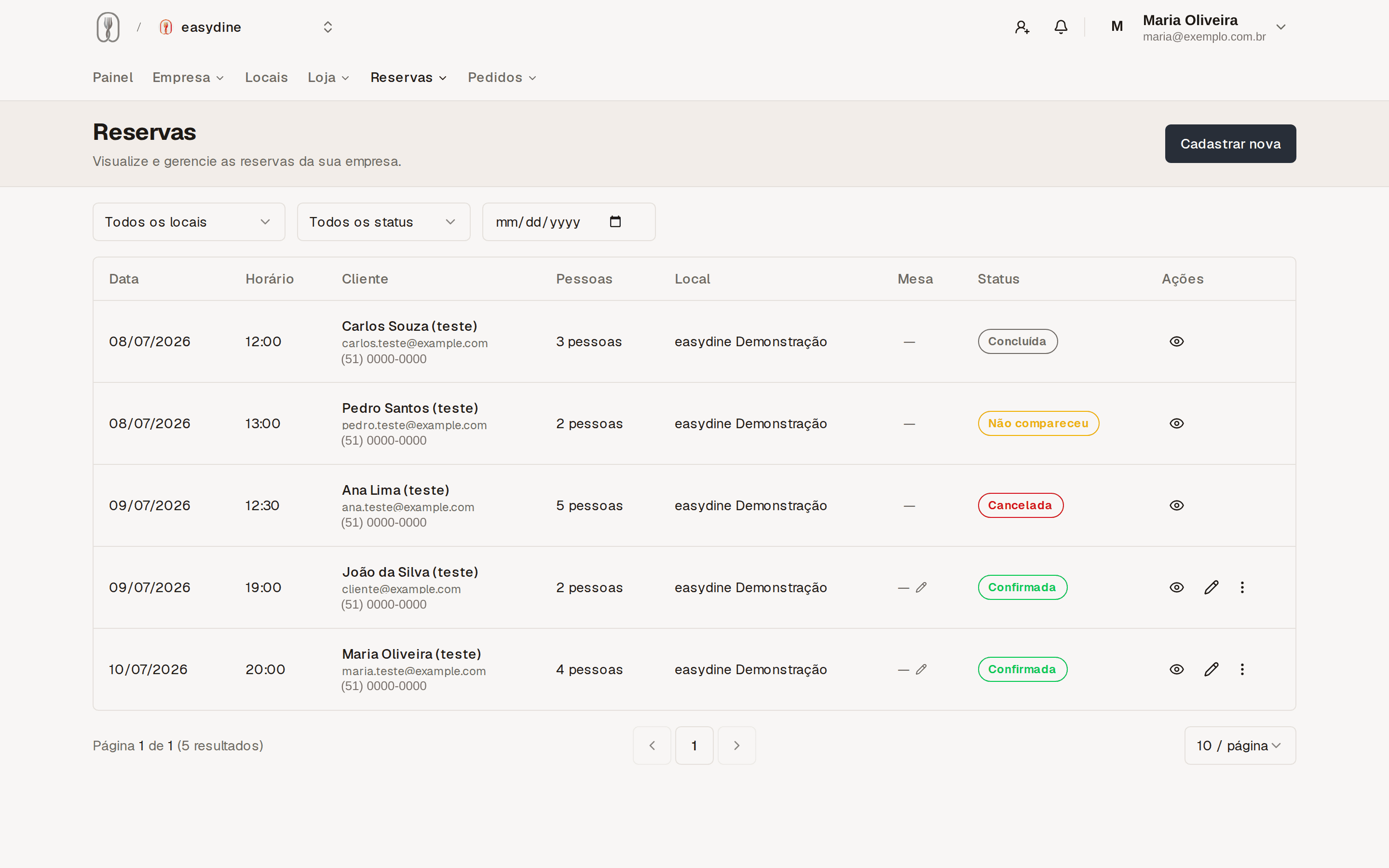
In Booking → Bookings you see all reservations for today and the days ahead. Your team is notified whenever a new reservation comes in. Every reservation has a clear status:
| Status | What it means |
|---|---|
| Confirmed | The customer booked and the table is guaranteed. |
| Completed | The customer came and was served. |
| Canceled | The customer or your team canceled. |
| No-show | The reservation time passed and no one showed up. |
Marking each reservation as completed or no-show feeds your reports. That's how you find out how many people actually show up and plan your dining room with real numbers instead of guesswork.
Ready for Google
Your reservation page ships with markup that tells search engines you accept online reservations, plus a link to your address on Google Maps. People who find your business in search reach the reservation in just a few taps.
What this changes in your day
The phone rings less and no reservation gets lost on paper. The late-arrival grace period frees the table when someone doesn't come, and the minimum notice keeps surprises out of the kitchen. You open the dashboard in the morning and already know how many people to expect at night.