Team and permissions
You don't have to run everything yourself, but you also don't have to give everyone on the team full access. With easydine, you invite your team into the same dashboard and decide exactly what each person can see and do.
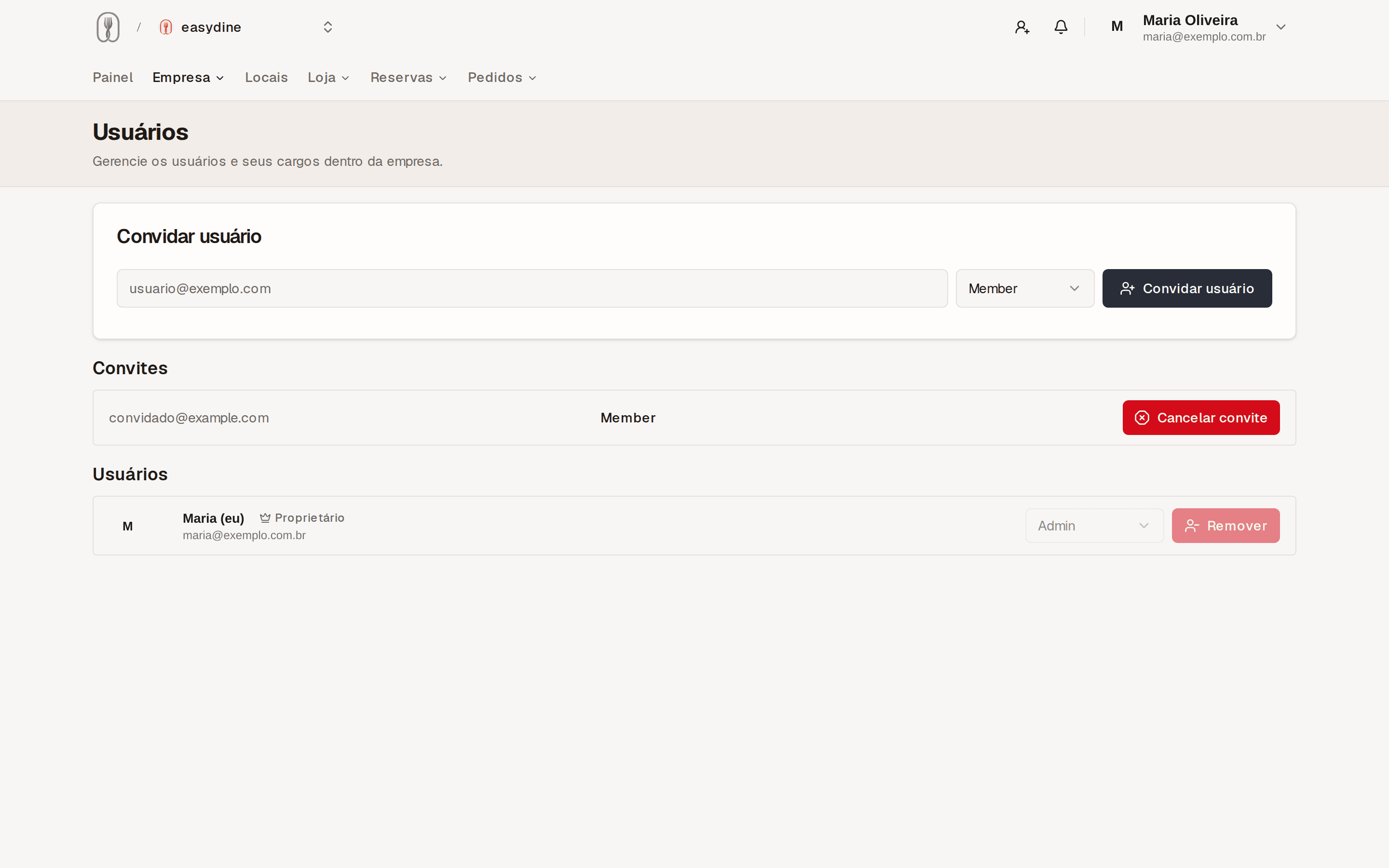
Invite by email
Go to Organization → Members and send an invite to the person's email address. They create their own password and land in the dashboard with the role you chose. Everyone works in the same place and sees the same information in real time. Each person can use the dashboard in Portuguese or English, whichever they prefer.
Ready-made roles, or build your own
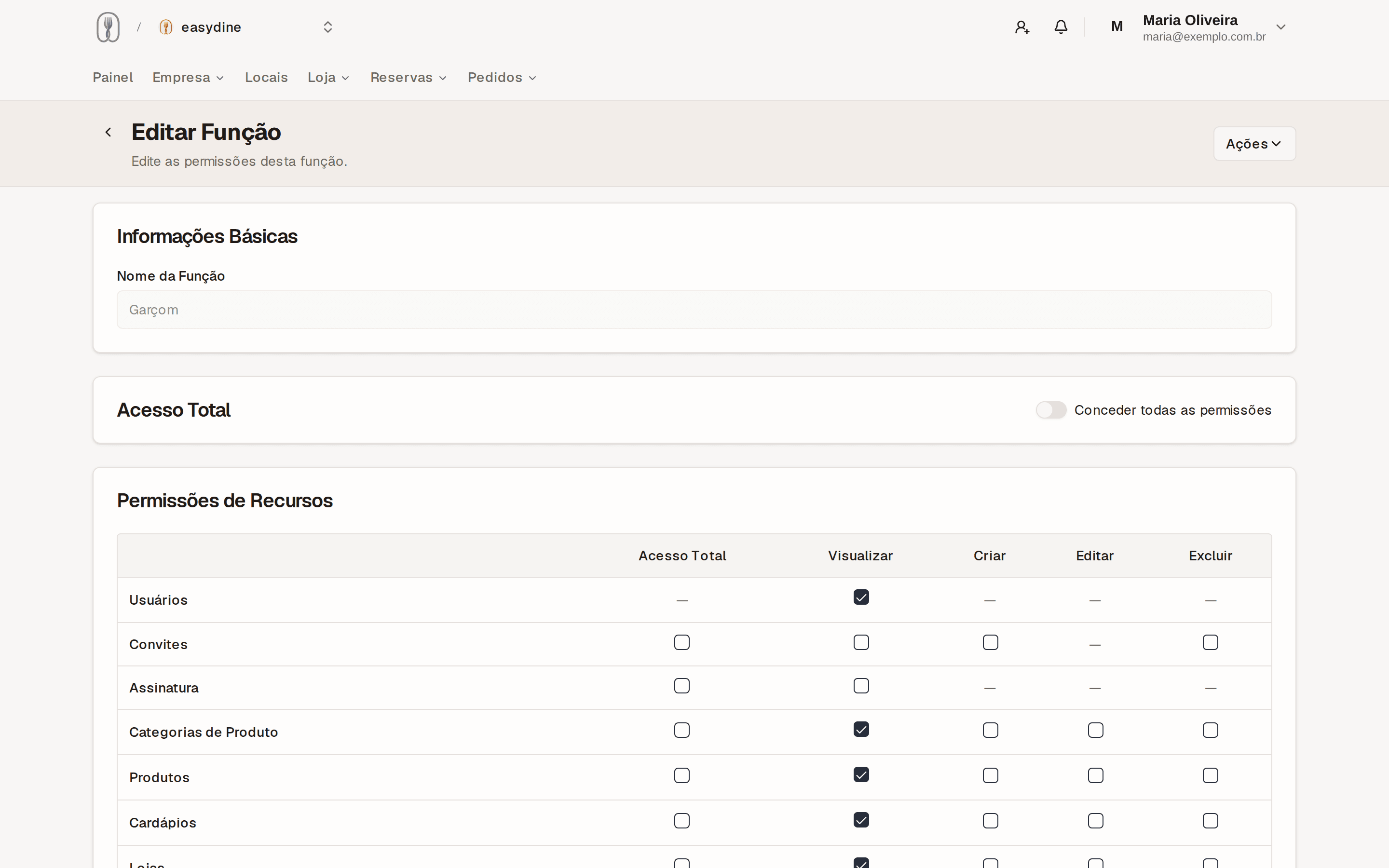
In Organization → Roles & Permissions you can use ready-made roles for the most common jobs or create your own, with permissions split by area of the dashboard. Some examples:
| Area | Example |
|---|---|
| Orders | The floor staff follow orders without touching anything else. |
| Menu | The manager updates prices and photos, with no access to the rest. |
| Finances | The subscription and payments stay only with the people you trust. |
That way, a stray click by someone on the team never becomes a problem with your menu or your subscription.
Ownership transfer
Sold the business or changed managing partners? You can transfer ownership of the account to someone else on the team without losing menus, orders, or history. Everything keeps working, only the account owner changes.
Give each person only the permissions they need today. Expanding later takes seconds in Organization → Roles & Permissions. Undoing a problem takes a lot more work.