What is easydine
easydine puts your food business online. You get an online store with your own brand, QR code ordering at the table, delivery and pickup paid online or to the establishment, and table reservations. Everything is managed from a single dashboard, right in your browser, no tech skills required.
What you get
| Feature | What it does |
|---|---|
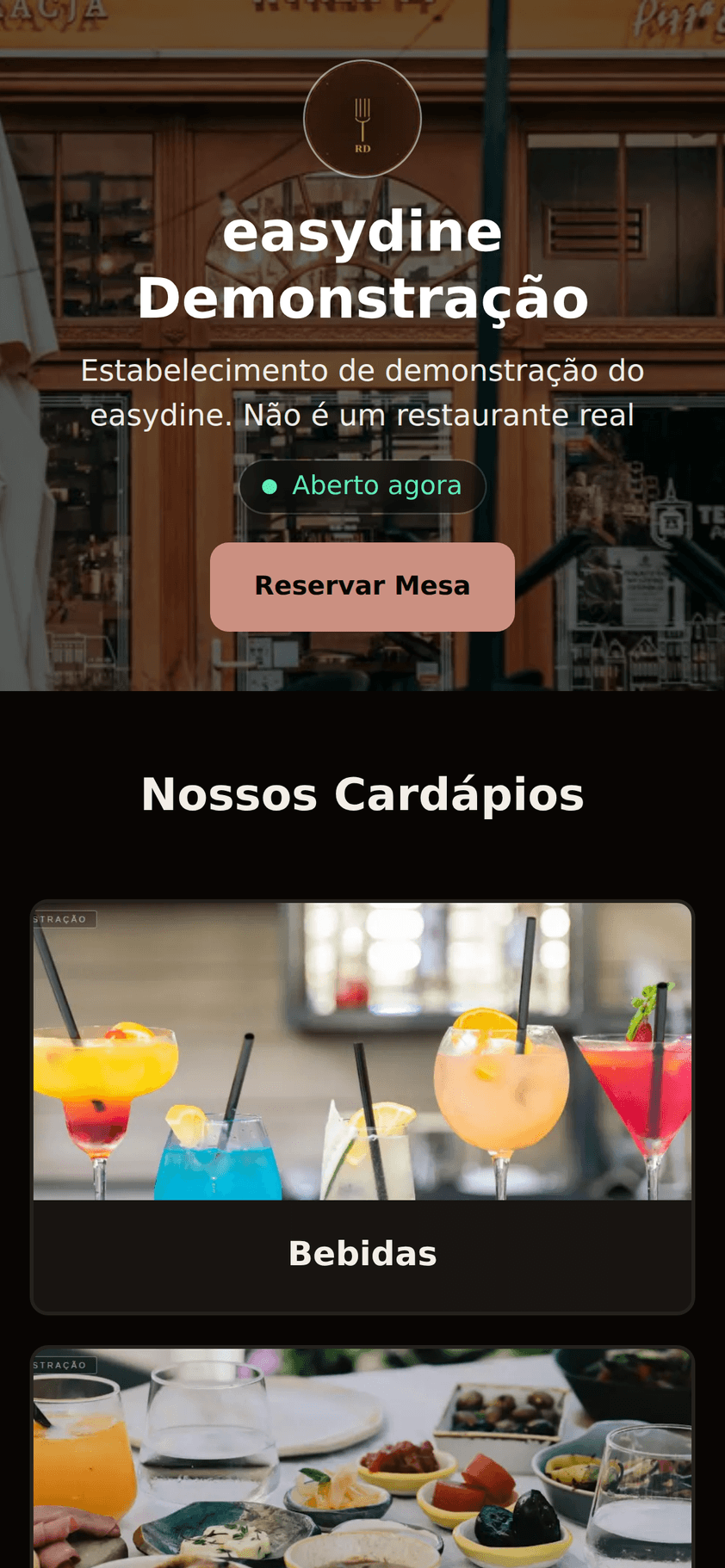
| Online store | Your store with logo, banner, brand color, and business hours with an "Open now" badge. Customers browse the menu with photos and prices, order via the QR code at the table, or place a delivery or pickup order. |
| Reservations | Customers pick party size, date, and time in 4 steps and get a confirmation by email. If plans change, they reschedule or cancel on their own through the link. |
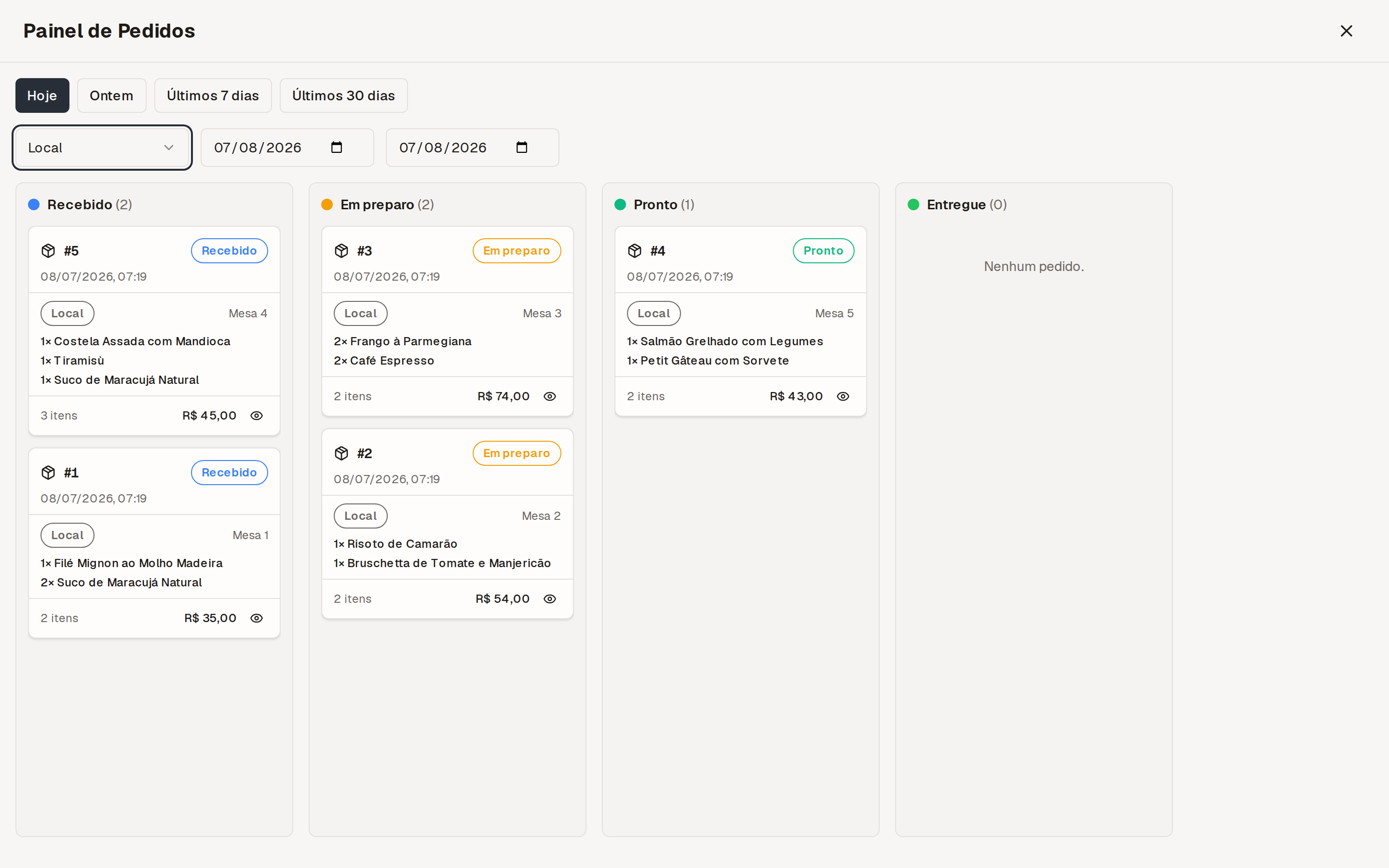
| Order management | Orders arriving in real time, menus, discount codes, customers, team, and reports in the same dashboard. |
| Kitchen printing | Every order comes out on the right thermal printer, the moment it arrives. The bar can print only the drinks and the kitchen only the dishes. |
| Dining room and cashier (POS) | The waiter opens the table and sends the order from a phone; the cashier checks the bill, records the payment and closes the table. |
See it live
Want to see the result before creating an account? We keep a public demo you can explore:
- Demo store: browse the menu and place a test order from start to finish, payment included. Nothing is charged and nothing is prepared. Use fictitious details, never a real card.
- Demo reservations: make a test reservation and see the same flow your customers would go through.
Who it's for
Any business that sells food: restaurants, bars, snack bars, pizzerias, burger joints, coffee shops, and dark kitchens. Whether you serve customers at the table, deliver to their door, or take reservations, easydine works for you.
How the pieces fit together
Customers order through your online store (at the table via QR code, for delivery or for pickup) or book a table through the reservation site. Everything lands in your dashboard, and orders go straight to the kitchen and the printer.
How much it costs
Plans start at R$89/month, and you start with a 30-day free period, no card required, with every feature unlocked. The only fee beyond the subscription is 10% on orders paid online (delivery or pickup). It already includes card processing and also applies during the free period. Dine-in orders at the table and reservations carry no fee. Compare the plans in Plans and pricing.
Where to start
- Create your free account. The step-by-step guide is in Create your account.
- Build your first menu with categories, photos, and prices.
- Publish your store and start taking orders.
Check the Frequently asked questions or write to suporte@easydine.app. We reply every day, from 9 a.m. to midnight (São Paulo time).